
Preparing for your Bespoke Virtual Tour Shoot – A Guide
Insights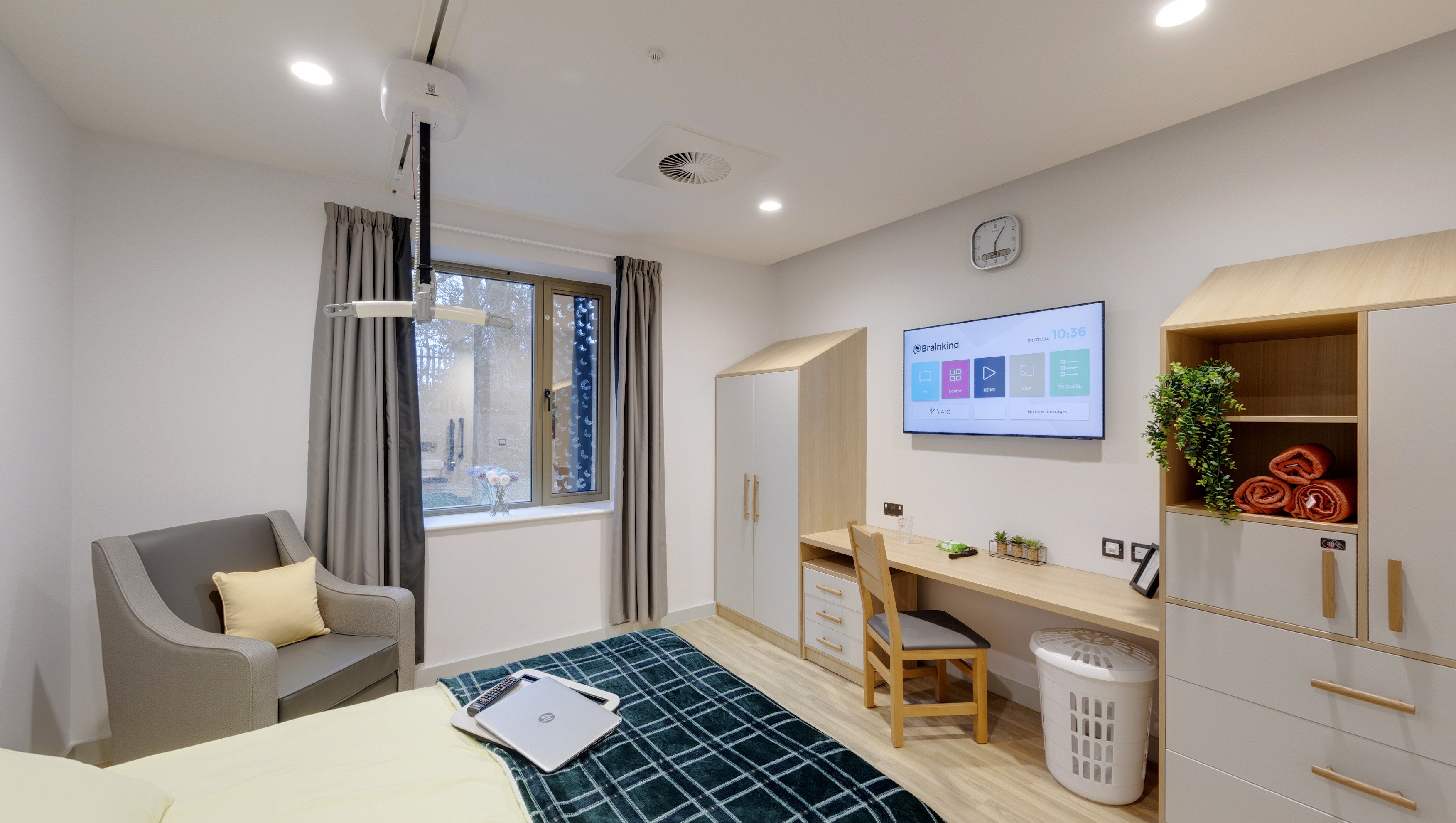
How to Prepare for a Virtual Tour Shoot: A Complete Guide
virtual tours are one of the most engaging ways to showcase your space, whether it’s a school, venue, business premises, showroom, or property. It allows prospective visitors to explore from anywhere in the world, offering an immersive experience that regular images simply can’t match.
To make sure your virtual tour shoot goes smoothly and looks professional, it’s essential to prepare your space in advance. Here’s everything you need to know about preparing for a virtual tour shoot, so you can get the best results on the day. Proper prep can also reduce the time needed on-site, and make a virtual tour shoot go much smoother for both photographer and client!
1. Tidy, Declutter and Present Each Area Professionally
Before the camera arrives, ensure that each area is neat, clean, and free from clutter. Put away bins, paperwork, cables, and anything that might distract from the visual appeal of the space. Virtual tours are all about first impressions, and a well-presented space will shine in 360.
This applies to all rooms such as reception areas, classrooms (if education based), corridors, meeting rooms, outdoor spaces and beyond. Think about what your visitors will see from every angle.
2. Fix Any Maintenance Issues
A virtual tour captures everything, so now’s the time to tackle those little jobs you’ve been meaning to do. Replace any light bulbs that are out, fix broken blinds, repair scuffed walls or peeling paint, and check that doors and windows open and close properly. These small maintenance fixes can make a big difference to the overall impression your tour gives.
3. Stage the Space
Take a moment to set the scene. Arrange furniture neatly, add finishing touches like cushions or flowers where appropriate, and make sure signage is straight and well-placed. The aim is to present each space at its best, just as you would for an open day or important visitor. If you need the space to be setup in a particular way, doing this prior to your shoot will aid in the final presentation, and avoid delays on the day.
In classrooms or offices, tidy up displays and ensure chairs are neatly tucked in. In hospitality or events venues, consider place settings, lighting, and ambience. For education especially, focus on display boards, ensuring there are no blank walls or walls containing old or outdated posters, especially ones with dates.
4. Prepare All Technology and Screens
Digital screens are often featured in virtual tour photography, so make sure they’re turned on and displaying a still image, digital signage, or a clean screensaver. Avoid having screens turned off or showing messy desktops. If you use specific programs for your work, perhaps load one of these on the screen to allow for a point of discussion, with the use of Hotspots, you can further explain the technology you use.
If possible, remove or disable any distracting pop-ups or animated content that could cause blurring in the final 360 photography.
5. Think about Lighting & Windows
Open blinds and curtains to bring in as much natural light as possible. Turn on ceiling lights, lamps and feature lighting to create a consistent brightness across the space. If you’re aware of any lights that flicker or are out, replace or repair them in advance.
Lighting is one of the most important elements in 360 photography, good lighting creates inviting, high-quality images.
Check with your maintenance team that they have ensured any broken blinds are fixed, or at least fully up, prior to the shoot. Nothing looks worse than a room with all but a few blinds down due to them being broken or stuck in a certain position.
6. Plan Which Areas to Include in Your 360 Virtual Tour
Decide in advance which spaces will be included in your 360 virtual tour. Prioritise areas that make the strongest impression such as entrances, feature rooms, common areas, and unique spaces that set your organisation apart. The more you think about these areas, the better the virtual tour will be.
It’s a good idea to walk the route beforehand with your team and make a list of these spaces, and identify any rooms that may require more preparation than others.
7. Remove Personal & Sensitive Information
Virtual tours are often publicly accessible, be careful about what’s on display. Remove handwritten notes, computer screens showing emails or files, or paperwork containing names, contact details or passwords. If you’re a school, make sure any pictures or name tags with pupils names aren’t showing, especially those who haven’t consented to being included in school marketing.
8. Let Your Team Know the 360 Photography is Taking Place
There’s nothing worse than arriving on location and finding that your staff, pupils (in the case of education virtual tours), or the public, weren’t aware of any photography taking place. Ensure that all staff and stakeholders are aware, and more importantly, have buy-in to the concept and reasonings for the virtual tour photography taking place. Communicate with your whole team beforehand, giving plenty of time for them to ask any questions if they have doubts. This buy-in often ensures staff and team members take extra pride in their spaces, meaning an even better virtual tour experience.
9. Include any Relevant Items
Moving certain pieces of equipment to a more prominent space in the area can often help your virtual tour, ensuring any important pieces are up front and noticeable. Think about what items or features in a room you’ll want to highlight through the use of Hotspots, and make sure these items can be seen and are not hidden in corners or behind other items. This may also impact the number of 360 scenes taken in a specific area, so make sure you tell your photographer which items are key to your marketing message, so positions can be thoughtfully considered.
10. Prepare for Hotspots
All our bespoke virtual tours feature a Hotspot function, allowing you to add in any number of interactive elements into your experience. You can add these at any point through your own dashboard, but it is always a sensible approach to consider what these will be prior to the shoot. Gather thoughts from other team members, and collect further images, video, and text that can further get across your marketing message.
11. What We Do
Whilst we encourage our clients to prepare as much as possible, you’re not on your own. Our 360 virtual tour experts will always be on hand to provide any advice, both prior, and on the day of your shoot. We will get stuck in and move any items we feel may distract the user, and aren’t afraid to get our hands dirty moving furniture around!
Final Thoughts
Taking the time to properly prepare your space for a 360° virtual tour shoot will make a huge difference to the final result. A well-staged and well-maintained environment shows your organisation in the best possible light.
If you’re unsure what to focus on or would like help planning your shoot, we’re happy to advise. With years of experience creating professional virtual tours across schools, businesses and venues, we know what works.
Contact Us to request your in-depth guide to preparing for your shoots. Our PDF checklist has 3 times as many pointers, ensuring you’re fully prepared for your virtual tour shoot!
