







360 Studio – Our feature packed Virtual Tour CMS

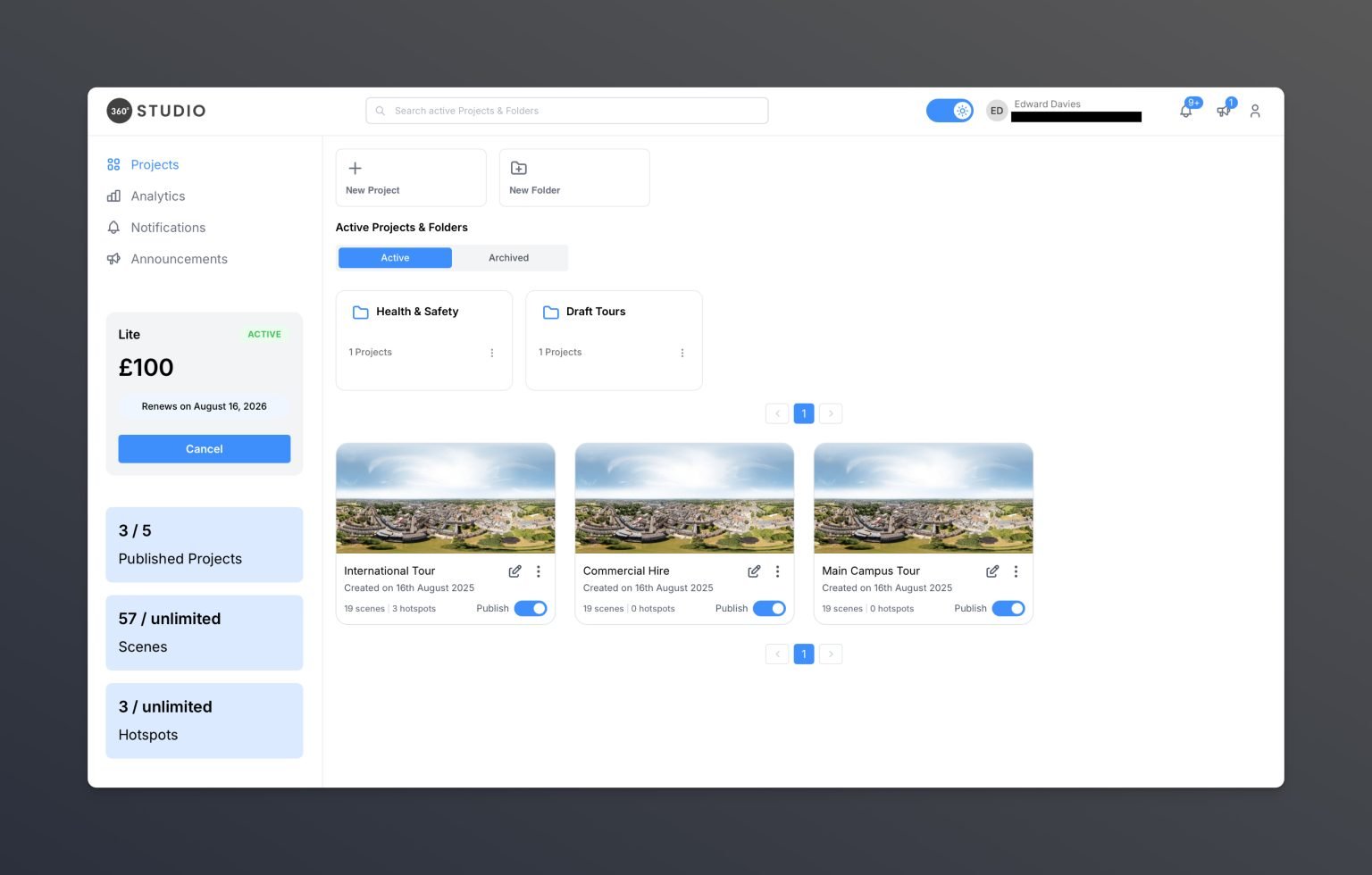
With 360 Studio, our Virtual Tour CMS, you can update your bespoke tour content anytime. Track engagement through built-in analytics, enjoy enhanced accessibility, and even create new tours instantly using your existing assets.

Our CMS allows your projects to evolve just as much as you do
As well as giving you full control over your bespoke virtual tour, our platform includes a range of built-in features that transform your tour into a powerful marketing tool that truly captures attention.
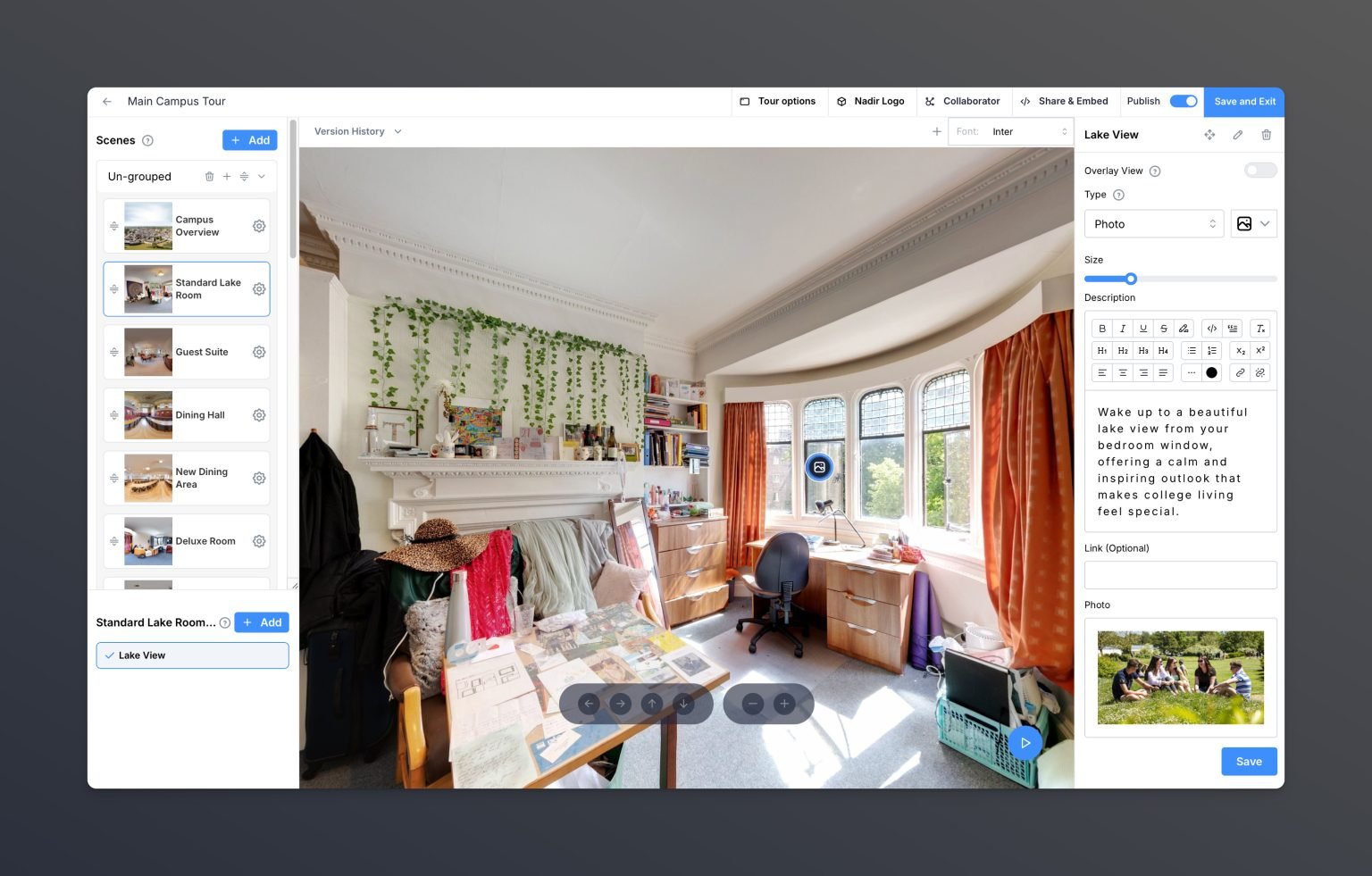
Adjust, Add, or Delete Scenes

Our CMS gives you the freedom to rename scenes as your location evolves. You can remove scenes that are no longer needed, or add new ones as your space grows, even using your own captured imagery.

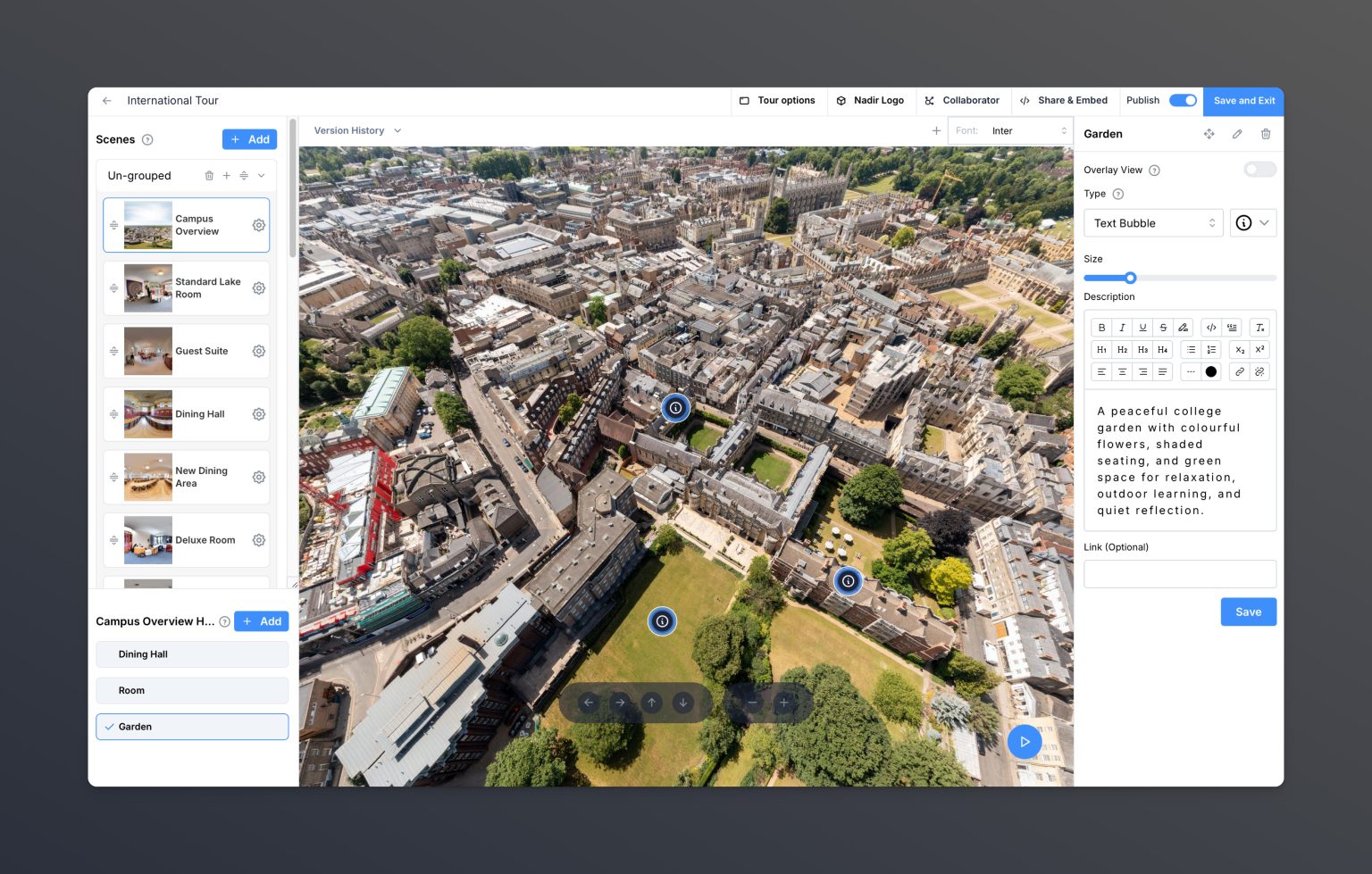
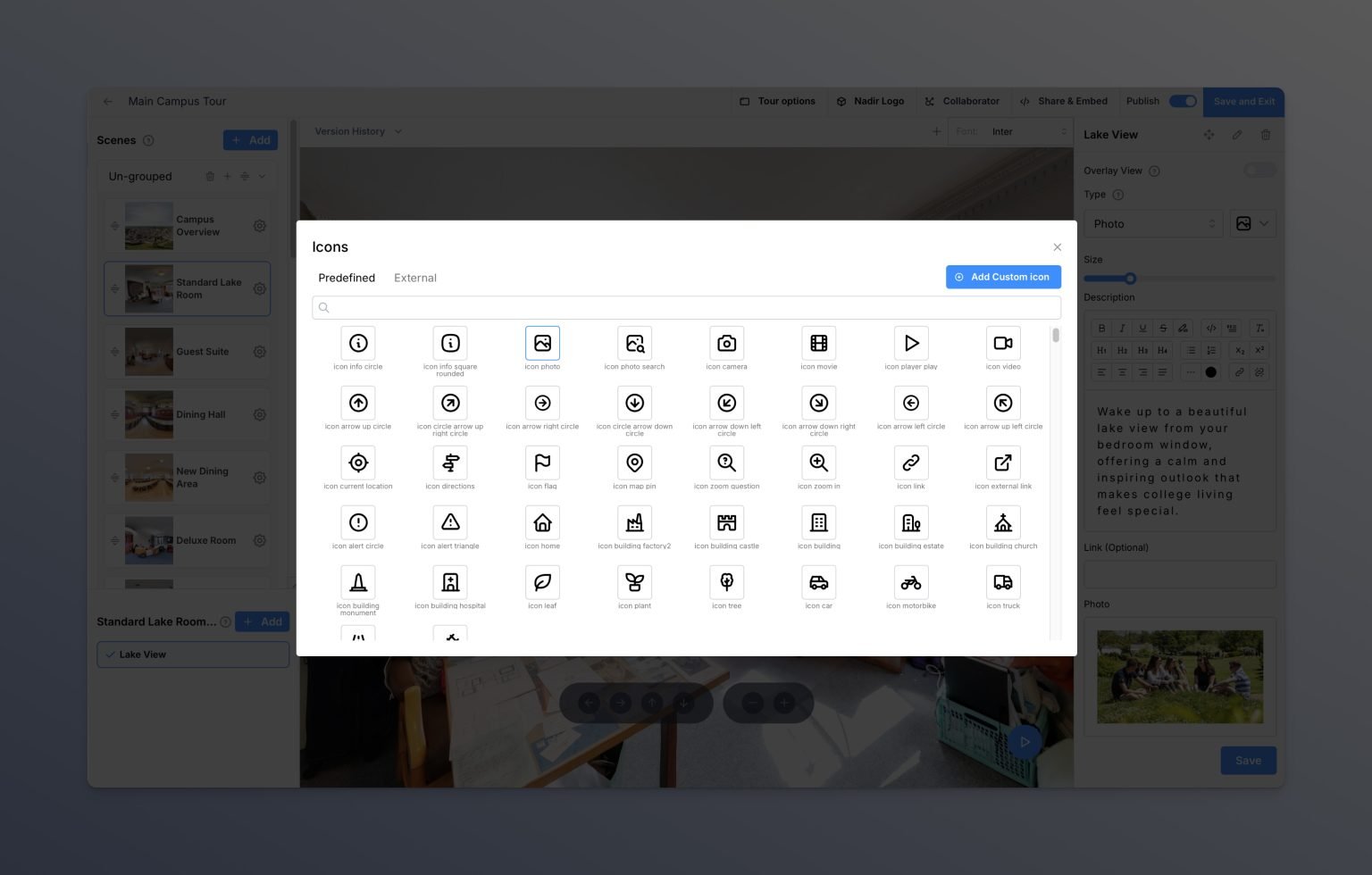
Adjust, Add, or Delete Hotspots

Hotspots enable you to enrich your virtual tour scenes with interactive content, ranging from text, images, galleries, videos, links, to PDF downloads. You have the flexibility to update these elements as needed, adapting them for different seasons or events you may be showcasing.

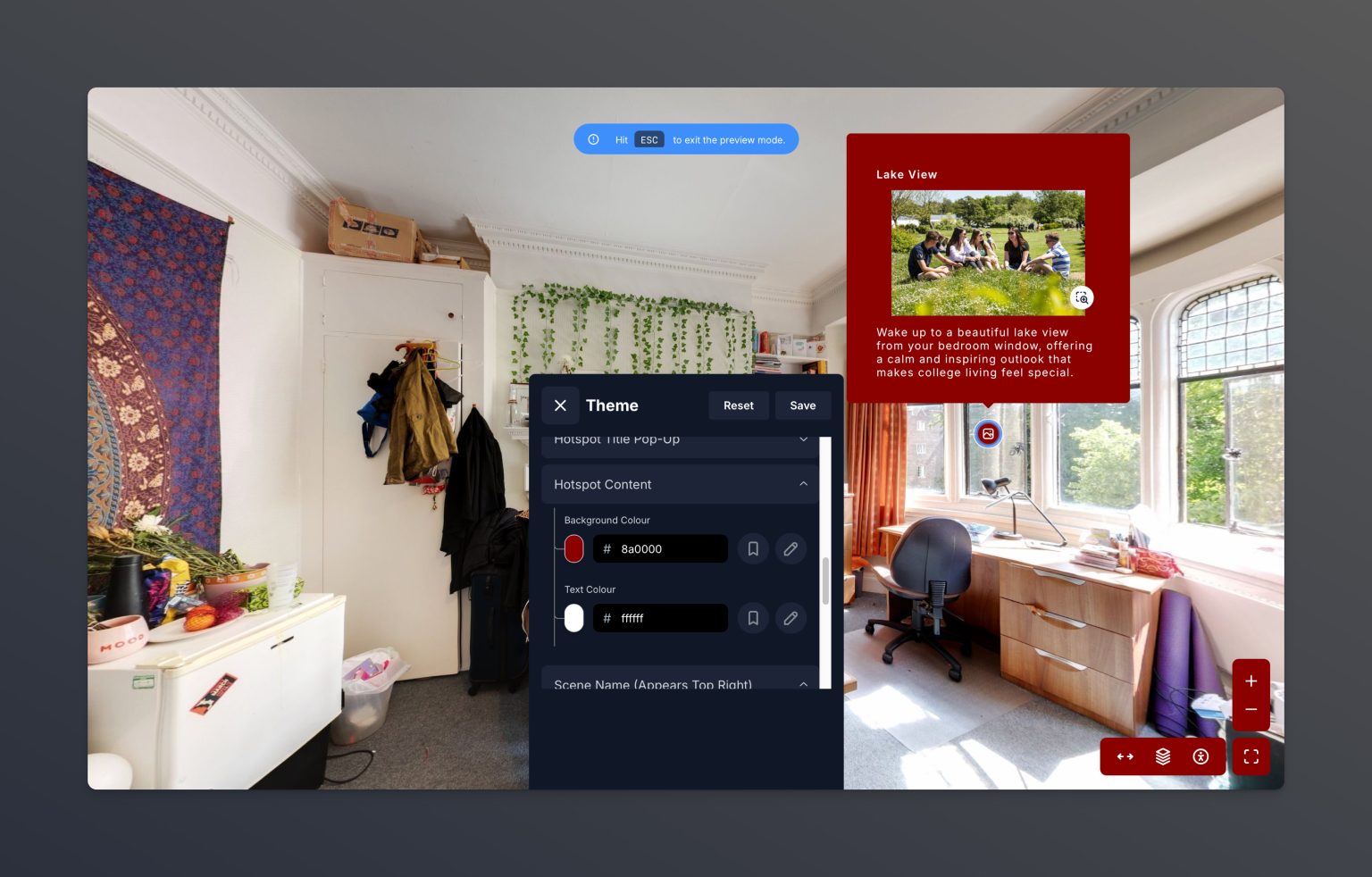
Customise & Change Branding

Have you ever undergone a re-branding and needed to update your marketing materials accordingly? With our editor, you can effortlessly adjust your tour's colours and fonts, ensuring it always aligns seamlessly with your company's latest branding guidelines.

Create Virtual Tours
Create Multiple Tours

With our CMS, you can create multiple versions of your virtual tour projects. Whether you're targeting different business sectors, developing multi-language versions for overseas markets, or creating smaller tours focusing on key locations, our platform supports your diverse marketing strategies.

Password protected virtual tours
Password Protection

Need to showcase sensitive locations? You can assign passwords to protect your virtual tours from unauthorised access, ensuring privacy and security for sensitive content.

Accessible virtual tours
Accessibility

Users have the flexibility to enhance their experience within the virtual tour by adjusting hotspot font sizes, line spacing, or switching to high-contrast versions. Additionally, they can opt for a dyslexic-friendly font to improve readability, ensuring inclusivity and accessibility for all users.

Virtual tour analytics
Gain Insights with Analytics

Get useful insights into how your virtual tour is used with built-in analytics. Over time, tweak your virtual tour to capitalise on this data, ensuring the most popular scenes are upfront or adjusting scene positions to make less viewed areas more prominent. You can also integrate Google Analytics to send data straight into your Google dashboard.

collaborative editing for your virtual tours
Collaborative Editing

With extended plans, you can add colleagues as collaborators to individual virtual tour projects. This is especially useful if your project includes multiple tour locations; simply add a collaborator and grant them access to edit their specific location through their own separate login.

Customisable Menus

As your location evolves, so can your virtual tour. Easily create layered sub-menus for complex spaces, reorder scenes, hide sections from the main menu, or completely reorganise your tour structure, all from within your built-in editor. You’re in full control, with the flexibility to adapt at any time.

What our clients think of 360 Studio

Hear from clients past and present about their experience with our Virtual Tour CMS. From schools to pharmaceutical companies, our platform empowers users to update and adapt their virtual tours whenever needed, without relying on us for changes. It’s a simple, flexible solution that saves both time and budget.

The CMS has been really easy to use and flexible to all the spaces we’ve included. We’re so pleased with the virtual tour. It’s good to know how easy it will be to make updates and changes, as I know there will be changes and updates to how we use our facilities in the future! An added benefit was being able to share the virtual tour with my CEO/Director, prior to publication, and to be able to add navigation points, direction arrows and additional content; films, links and more.

One of the things we love most is how easy the platform is to use. Editing is straightforward, and the ability to make instant updates or create multiple tours at no extra cost gives us so much flexibility. It’s been great to have such control over our content without needing any technical expertise.

360 Virtual Tours have been an excellent partner. They were incredibly efficient in capturing high-quality shots of our school for the virtual tour, completing the project swiftly. Their CMS platform is user-friendly and boasts a wealth of features, enabling us to create a far more engaging and informative virtual tour than we could have achieved previously.

The CMS is a really intuitive platform to use. Having never used a 360 platform before, I had no trouble navigating both the editor and dashboard, and was easily able to add in my own Hotspots and swiftly make any edits I required. The virtual tour is a fantastic addition to our marketing portfolio.

The platform is exceptionally intuitive, enabling us to swiftly modify or update our projects. This capability ensures our offerings remain dynamic and engaging. Matthew, lead photographer on the Almac projects, had the following to add: The Almac virtual auditing tours allow the team to cover sites in the USA, Europe, and Singapore, all from a central online location. This has significantly reduced the need for international travel.

Helen Moore
Treloars School & College
Holly Applebee
The Duke of York's Royal Military School
Sarah-Jane Barker
Farringtons School
Ellysia Kravaris
White meadow Furniture
Niamh McCausland
Almac Clinical Services