
Preparing for a Matterport 3D Scanned Virtual Tour – A Guide
Insights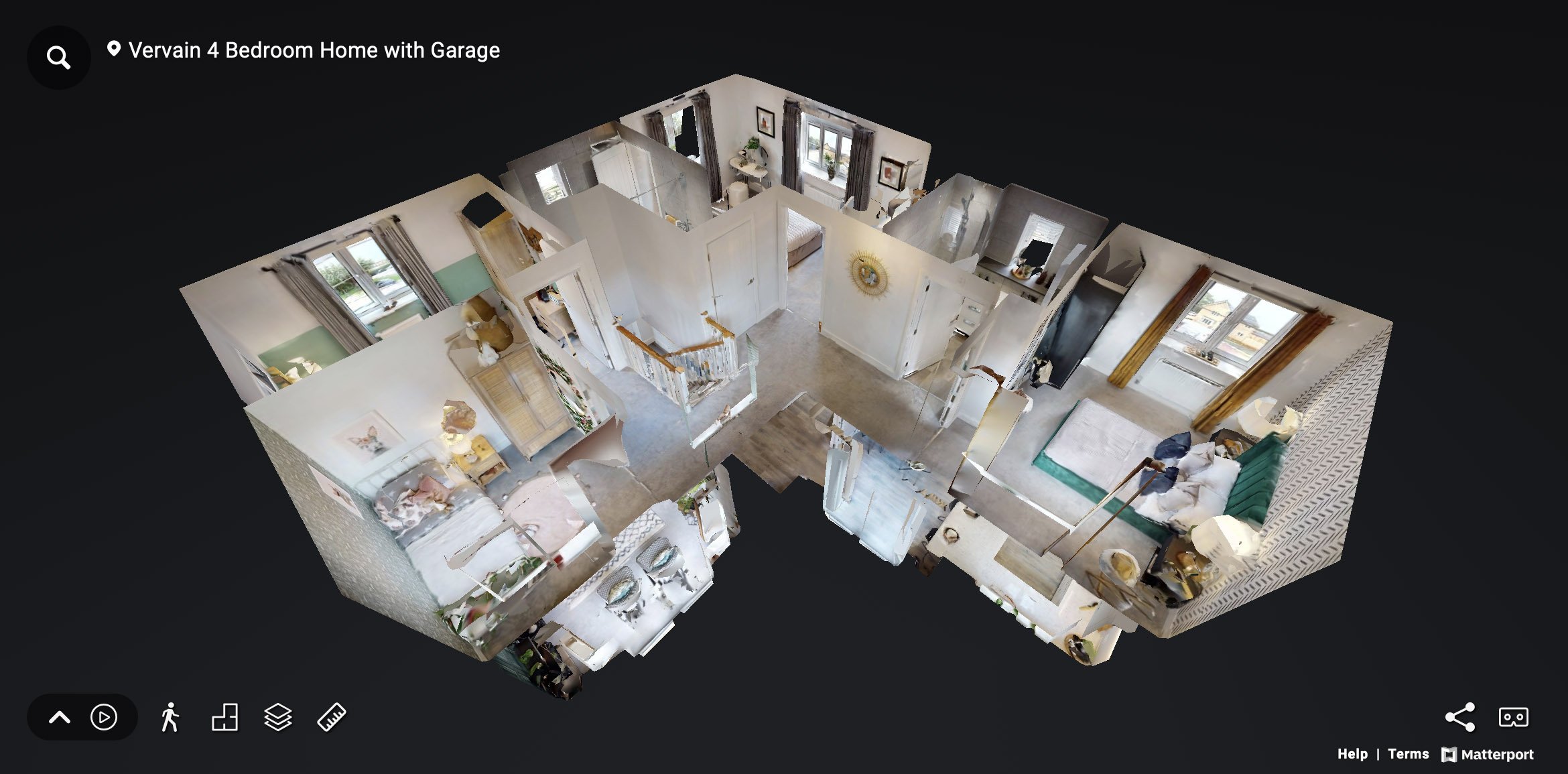
How to Prepare for a Matterport Virtual Tour Shoot
A Matterport virtual tour is one of the most powerful and immersive ways to present your space online. Whether you are showcasing a school, office, venue, retail space, or property, Matterport’s 3D scanning technique creates a digital twin of your environment.
As a leading Matterport service provider, we know that preparing your space in advance is key to getting the best results. Matterport captures everything, so taking time to get things right before the scan makes a big difference.
Here’s our complete guide to preparing for a Matterport virtual tour shoot.
Tidy, Clean and Declutter Every Area
Matterport cameras capture everything. That means tidying and decluttering is essential so clear away bins, bags, paperwork, wires, boxes, and any unnecessary items that could distract from space in question. Whether you are preparing a school for a virtual open day, a showroom for marketing, or a property for an online viewing, every space should be neat, clean and presentable.
Fix Maintenance Issues Before the Shoot
A Matterport virtual tour creates a permanent 3D model of your space, so maintenance issues will be visible to anyone viewing the tour. Before your Matterport scan, make sure to:
- Replace any blown bulbs
- Repair broken blinds, curtains, or anything that could do with a bit of TLC!
- Paint any scuffed walls or repair damaged flooring
- Ensure all doors open and close smoothly
Prepare Screens and Digital Displays
If your space includes screens, monitors, or digital signage, ensure they are switched on and showing a clean still image, welcome message, or branded screen. Avoid having screens turned off or displaying email inboxes, login prompts or busy desktop backgrounds.
Matterport captures exactly what is on screen at the time of scanning, so having your displays properly set adds to the overall presentation.
Stage the Space
Take a moment to arrange furniture, straighten chairs, and remove personal items or clutter. Add things such as cushions, flowers or brochures where needed. Whether it’s a classroom, meeting room, reception area, or venue, staging makes the space feel welcoming.
Remember, Matterport 3D cameras capture everything! so check that everything looks clean and tidy from all angles.
Turn on All Lighting and Let in Natural Light
Good lighting makes a major difference in the quality of your Matterport virtual tour. Turn on all available lighting, including ceiling lights, feature lights, under-cabinet lights and lamps. Where possible, open blinds and curtains to let in additional light.
Plan the Route for the 3D Scan
Matterport 3D virtual tours follow a path through your space. Before the scan, with the help of your project manager, plan the flow of the tour and decide which areas you want to include. Focus on your most impressive or high-traffic spaces such as entrances, key spaces, communal areas or showpieces.
Make sure any doors along the route are unlocked and left open to ensure a smooth scanning process. Any rooms or spaces you do not want captured must have their doors closed.
Remove Personal or Sensitive Information
Matterport virtual tours are shared with a wide audience, so it’s important to remove personal or sensitive materials. This includes handwritten notes, staff or student names, visible documents, passwords on screens or anything you would not want to display to the user.
Keep the Space Clear of People During Scanning
To ensure the best results, the space should be empty during the Matterport scan. People can appear in mirrors or reflections, or accidentally cause blurred data in the scan. If your team needs to be present in specific scenes, it’s important they stay out of view during the scanning process.
Final Thoughts
Working with a professional Matterport company like us gives you access to the latest 3D scanning technology, but the quality of the final tour depends on how well the space is prepared. From staging and lighting to removing clutter, it all matters.
Whether you’re using Matterport to promote a property, showcase a school, present a retail space, or digitise a venue, getting your space ready for the scan is the first and most important step.
Looking for a trusted Matterport service provider? We offer expert guidance, and professional scanning to help you create a stunning 3D virtual experience. Get in touch today to book your Matterport tour or discuss your next project.
